
Here, we've created a comprehensive tutorial on how to activate your Jethro Mobile service and SIM card with a brand new phone number.
Before diving into the world of Jethro Mobile, it's essential to activate your service with a new number for a fresh start. Whether you're upgrading your device or joining us for the first time, this tutorial will guide you through the process step by step.
*Note: If you're looking to keep your existing phone number, we also have a guide for porting your number seamlessly.
Step 1.
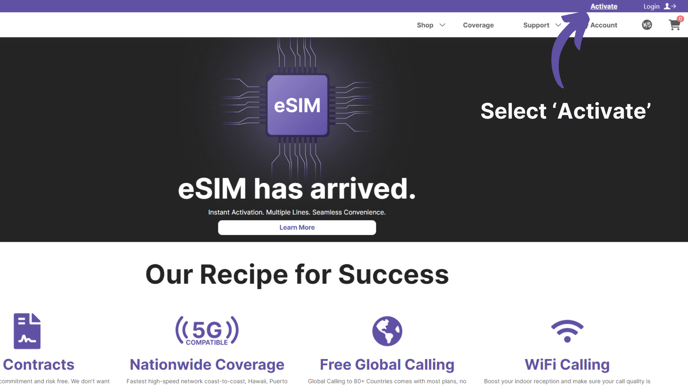
Go to www.jethromobile.com and click the activate button in the top right corner
Step 2.
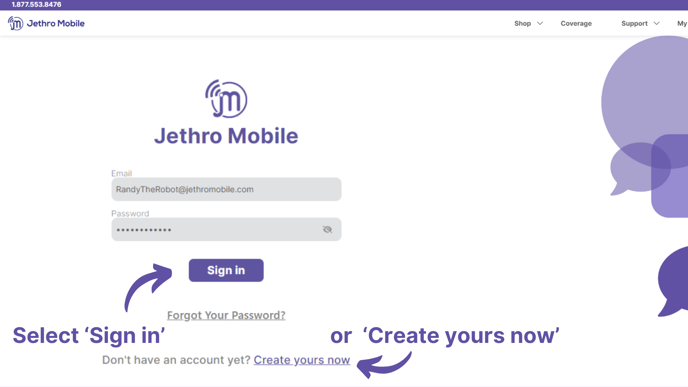
Create or log into your Jethro Mobile account.
Step 3.
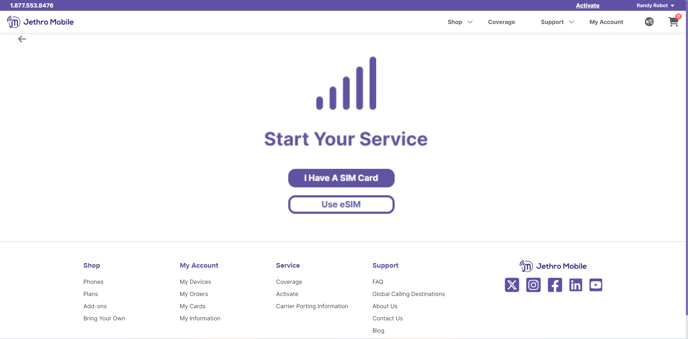
Select if you have a physical SIM card or an eSIM.
Step 4.
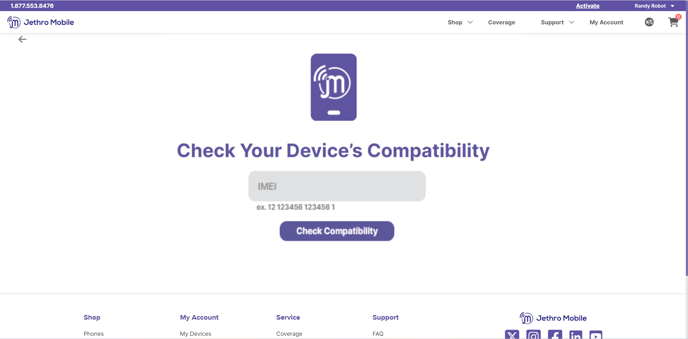
Verify that your device is compatible with Jethro Mobile. This step is optional but highly recommended.
Step 5.
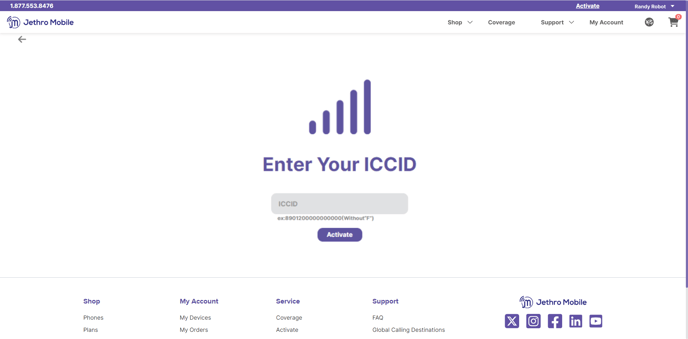
Enter your ICCID number that starts with 89 (no need to include the F at the end).
Step 6.
Enter a US address (this will generate an area code local to you). You can also choose to start your service immediately or schedule it for a later date, up to 60 days in the future.

Step 7.
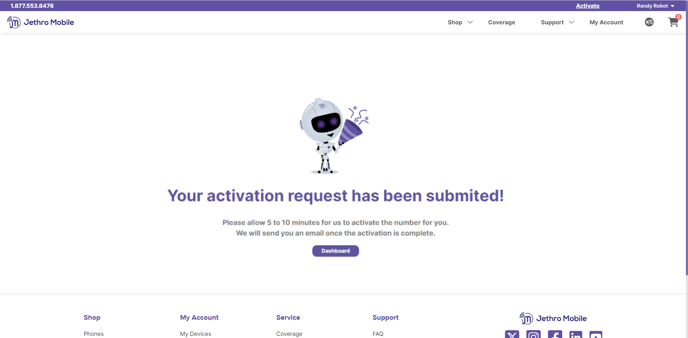
Submit your activation and wait for your confirmation email.
If you choose to activate immediately, your service will be ready to use in 5 to 10 minutes. Simply power your phone off, pop your SIM card (if physical SIM) into your phone, power your phone back on, and begin enjoying Jethro Mobile's nationwide network!
Comments
0 comments
Article is closed for comments.