
Here, we've created a comprehensive tutorial on how to activate your Jethro Mobile service and SIM card by porting your phone number.
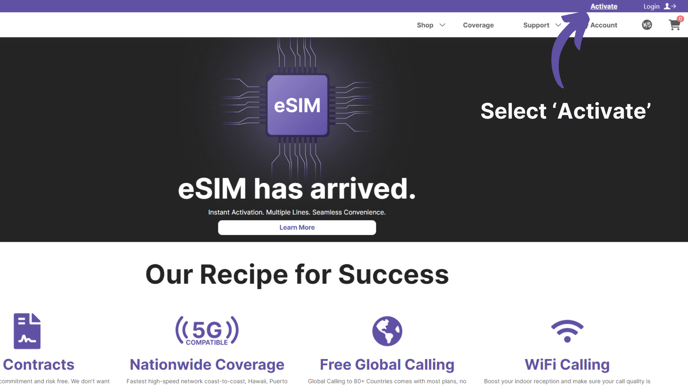
Step 2.
Create or log into your Jethro Mobile account.
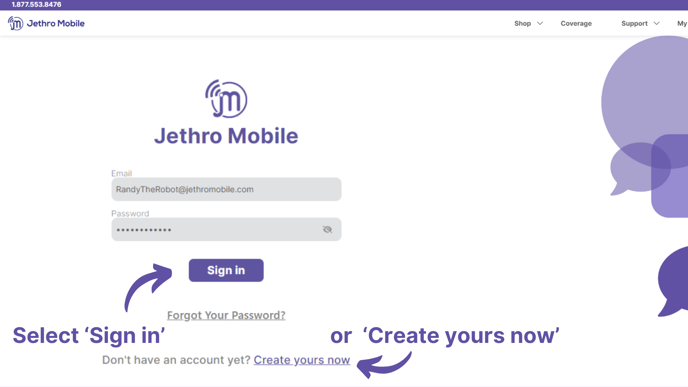
Step 3.
Select if you have a physical SIM card or an eSIM.
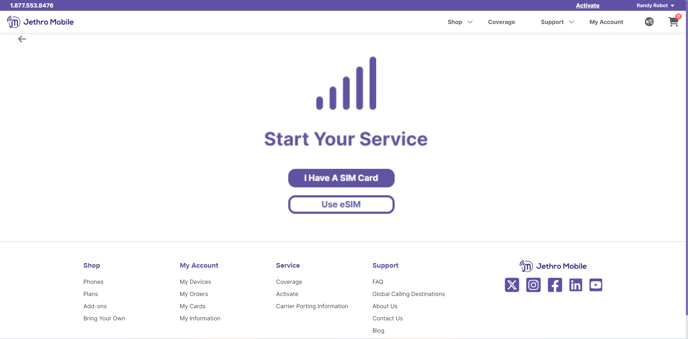
Step 4.
Verify that your device is compatible with Jethro Mobile. This step is optional but highly recommended.
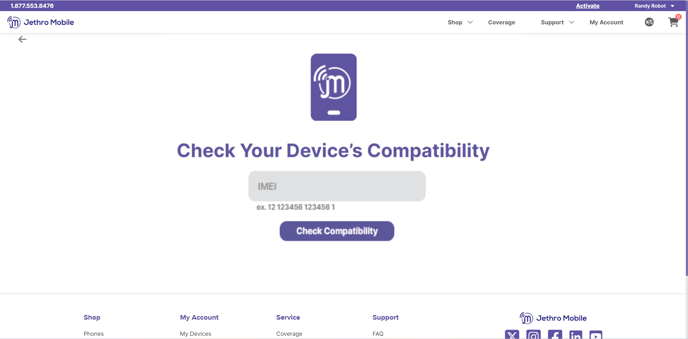
Step 5.
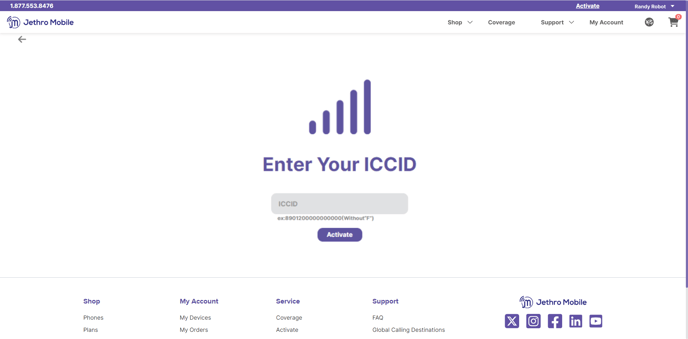
Enter your ICCID number that starts with 89 (no need to include the F at the end).
Step 6.
Toggle the "Port an existing number?" option and enter the following information you gathered from your previous carrier:
- Account number
- PIN number (also known as the transfer PIN)
- Name on the account
- Billing address on the account
Please ensure the line is active and has no port protection active. Keep in mind that it is only possible to port in US phone numbers.

Step 7.
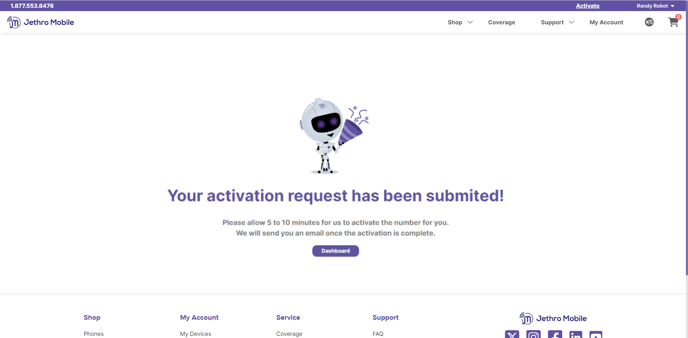
Submit your port and wait for your confirmation email. Wireless ports can take from 5 minutes up to 24 hours, while landlines can take up to 10 business days. Once you receive your confirmation email that the line has been successfully ported, simply power the phone off and back on and enjoy Jethro Mobile's nationwide network!
Comments
0 comments
Article is closed for comments.